Managing your transcripts is easier when you can save them directly to the tools you use every day. With Scribie’s Google Drive integration, you can export your completed transcripts directly to your Google Drive account, making it easier to organize, access, and manage your files.
Whether you’re working with meeting notes, interviews, research recordings, or other transcribed content, saving your files to Google Drive provides a convenient way to keep your transcripts in one place.
How to Export Your Transcripts to Google Drive
Follow these simple steps to save a completed transcript from your Scribie account to Google Drive.
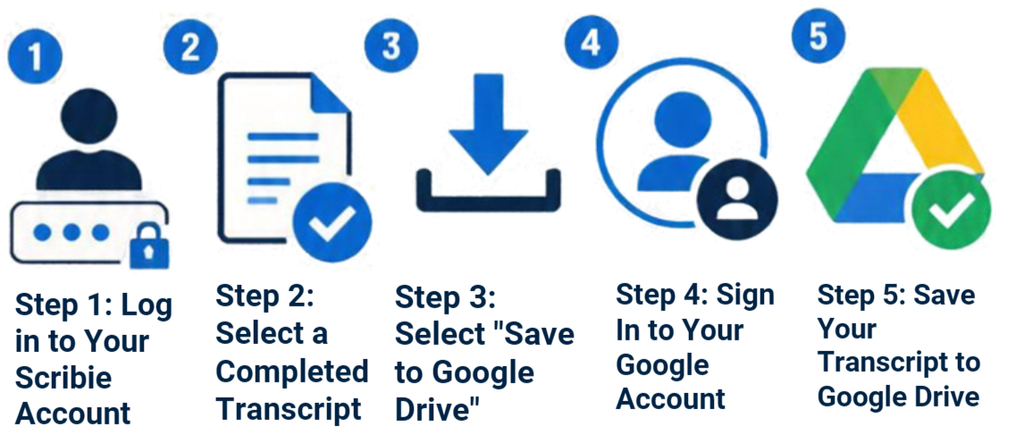
Step 1: Log in to Your Scribie Account
Visit Scribie.com and log in to your account using your credentials.
Once logged in, navigate to the Delivered files page to view your completed transcriptions.
Step 2: Select a Completed Transcript
Find the transcript you want to export and click Check & Download.
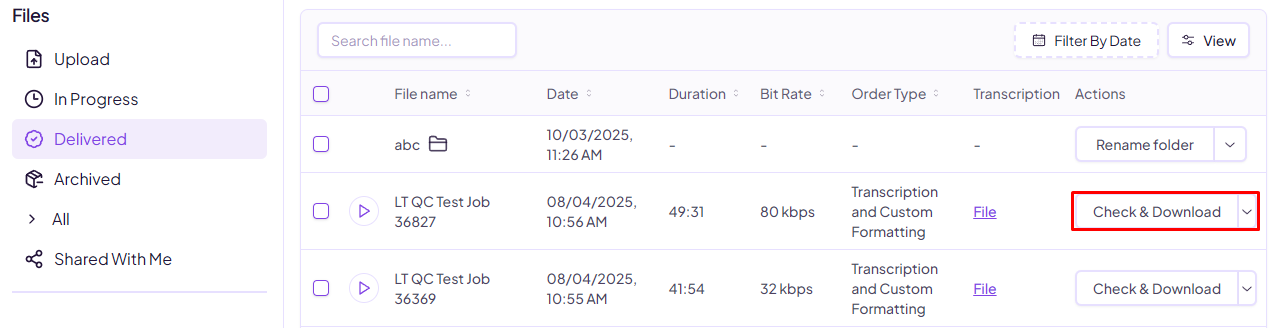
This will open the download options for your completed transcription.
Step 3: Select “Save to Google Drive”
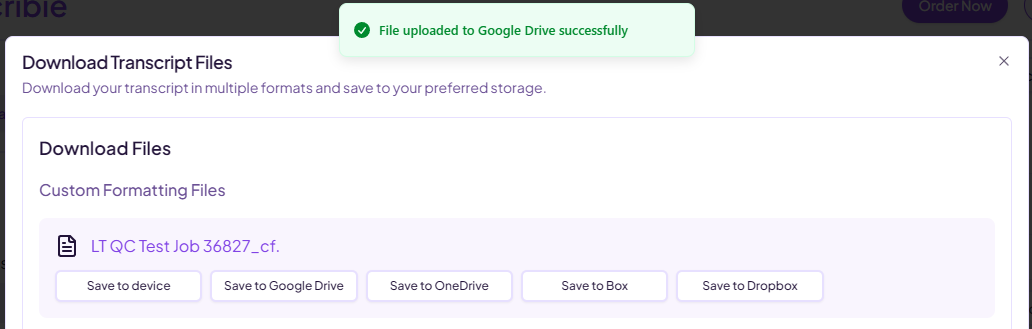
On the download page, you’ll see the available formats for your transcript. Select Save to Google Drive to begin the export process.
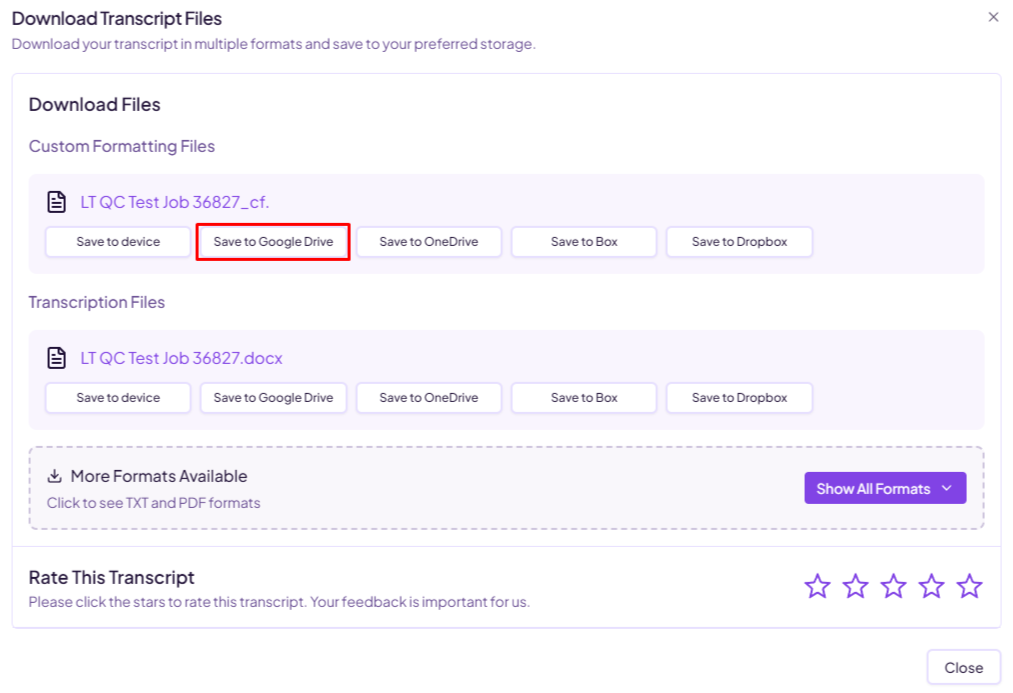
If you haven’t connected your Google Drive account yet, you’ll be prompted to sign in.
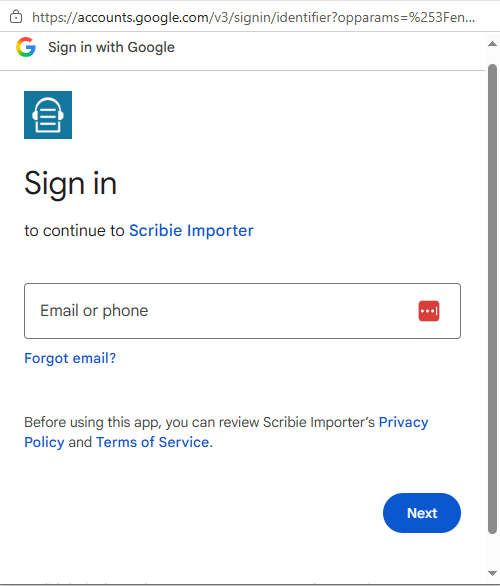
Step 4: Sign In to Your Google Account
Sign in with the Google account where you want to save your transcript. When prompted, grant Scribie Importer permission to access your Google Drive so it can save the file to your account.
Make sure you select the correct Google account before granting access.
Step 5: Save Your Transcript to Google Drive
After signing in, click Save to Google Drive again to complete the export.
Once your transcript has been successfully uploaded, you’ll see a confirmation notification indicating that your file was saved to Google Drive.
That’s it! Your transcript is now available in your Google Drive account, ready for you to access and manage.
Save Your Transcripts with Ease
With Scribie’s Google Drive export feature, you can conveniently transfer your completed transcripts to your preferred cloud storage location without having to download and manually upload each file.
Try exporting your next transcript to Google Drive and enjoy a simpler way to manage your files.
Have questions, comments, or concerns? We’re here to help. Contact us at support@scribie.com.
Leave a Reply